The ROKOK88 Link on Mobile: Habits That Save Time
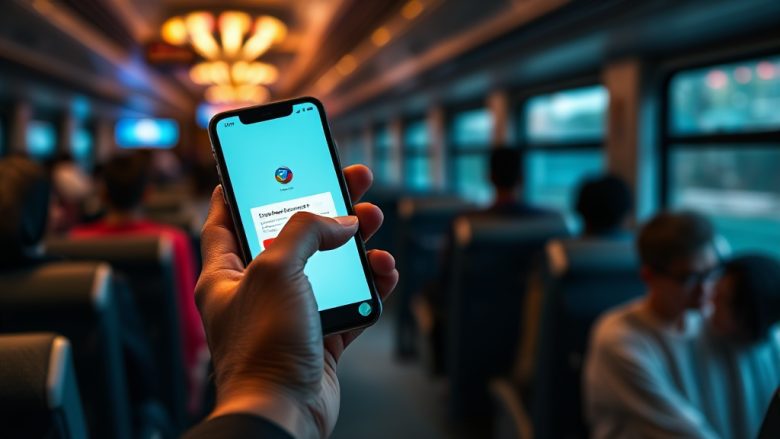
The train is packed, one hand is on the rail, and the other is holding a phone. That is the exact moment a platform link has to prove itself. The rokok88 link is the entry point ROKOK88 provides for registration and login, and on mobile it should open quickly, load cleanly and ask for as little typing as possible. This article is about making that link behave well on a phone: browser choice, data use, and the small habits that turn a clumsy tap into a two-second check.
What the ROKOK88 Link Actually Does on a Phone
ROKOK88 is an online game platform aimed at Indonesian-speaking users, and its link is simply the address that leads to registration and login access. On a desktop, a slow page is an annoyance. On a phone, it is a reason to give up. Mobile users expect the page to fit the screen, the buttons to be thumb-sized, and the form to remember what they typed.
The first thing to understand is that the link itself is not a separate mobile product. It is the same destination, but your phone, browser and network decide how it feels. A clean browser with no clutter will render it faster than one weighed down by extensions, background tabs and old cache. That difference matters when you are standing on a moving train with a weak signal.
Registration and login are the two main paths
Most mobile visits fall into one of two jobs: creating an account or returning to one. Registration usually asks for a few details and a password, so it benefits from autofill and a stable connection. Login is shorter but repeated often, which is why quick-access habits matter more than raw speed. If you only ever do one thing on your phone, make it a reliable way to reach the login screen without hunting through bookmarks.
Why page weight matters more on mobile data
Every image, script and font on a page costs data. On Wi-Fi this is invisible; on a commuter data plan it adds up. A page that loads heavy media before the form appears will feel slower than one that prioritises the fields you actually need. If the link feels sluggish, check whether your browser is loading images in full quality and whether other apps are using data in the background.
Practical Mobile Scenarios and How to Handle Them
Real phone use is rarely a quiet desk session. It happens in queues, on buses, between meetings and in the five minutes before a train arrives. Each situation rewards a slightly different habit.
On a crowded train with one hand free
This is the hardest case. One-handed use means your thumb covers the lower half of the screen, so the important controls need to sit where you can reach them. Zoom in slightly if the form fields feel small, and avoid pinch-zooming mid-form because it can shift the layout. If the page keeps reloading, your connection is probably dropping between stations, so wait for a stable signal rather than tapping repeatedly.
During a short break at work
Short breaks reward speed. Save the link to your home screen or a browser bookmark so you do not have to search for it each time. A home-screen shortcut opens like an app and skips the search step entirely. Keep your password in a trusted password manager rather than typing it from memory under time pressure, which is where most login errors happen.
At home on Wi-Fi but still on the phone
Many players stay on their phone even when a laptop is nearby, because the account and habits already live there. In that case, use the phone deliberately: close unused tabs, update the browser, and check that the page is not stuck on an old cached version. A quick refresh after an update often fixes layout oddities that look like platform problems but are really local.
When the signal is weak or the data plan is tight
Weak signal is the most common cause of a link that seems broken. Before assuming the page is down, test another site in the same browser. If everything is slow, the problem is the network. Turn off background app refresh, switch to a lighter browser mode if yours offers one, and avoid loading large media while you are only trying to log in.
Habits That Keep the Link Fast and Reliable
None of these habits is complicated, but together they remove most of the friction phone-first users complain about. Treat them as a short checklist you run once, then benefit from every time.
- Pick one browser and stick to it so saved passwords, autofill and history stay in one place.
- Add a home-screen shortcut to the registration page so the link is one tap away.
- Keep the browser updated because older versions handle forms and security certificates poorly.
- Clear cache occasionally when pages look outdated or buttons stop responding.
- Use a password manager instead of retyping credentials on a small keyboard.
- Check your connection first before blaming the page for a slow load.
- Avoid public Wi-Fi for account access and prefer your mobile data when you are unsure.
A simple comparison helps decide where to keep the link:
| Access method | Best for | Trade-off |
|---|---|---|
| Home-screen shortcut | Fast repeat visits | Uses a home-screen slot |
| Browser bookmark | Organised, syncs across devices | Two taps instead of one |
| Typing the address | One-off use | Slow and error-prone on mobile |
The rokok88 link works best when it is treated as a fixed, familiar destination rather than something you rediscover each time. Save it once, keep your browser lean, and check the network before assuming the worst. Do that, and the crowded-train moment stops being a test of patience and becomes a quick, routine tap.